Alberta Works reporting is done in one of two ways: online through the Government of Alberta’s Automated Reporting for Clients site, where you log in with your File# and PIN, or by phone on 1-866-232-0214. The program is listed on alberta.ca as Income Support, so “Alberta Works online reporting” and “Alberta Income Support reporting” lead to the same place.
Report online: arcclient.ivrnet.com (Automated Reporting for Clients)
Report by phone: 1-866-232-0214
Questions about your file: Alberta Supports Contact Centre, 1-877-644-9992
Official rules: alberta.ca, Income Support active client responsibilities
Checked 15 November 2026 against alberta.ca and the reporting site. This is an independent guide. It is not a Government of Alberta page, and you cannot report, apply or log in here. See our Editorial Policy.
Alberta Works online reporting login
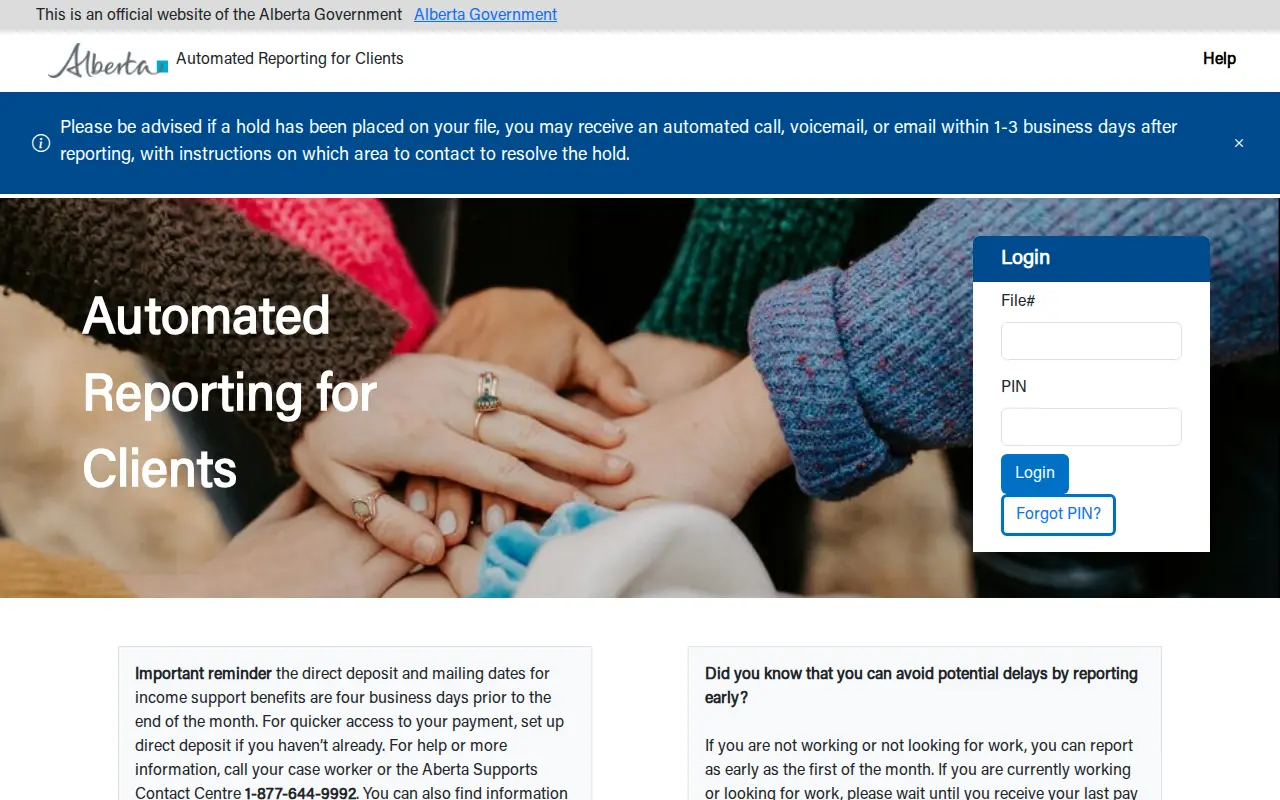
- Open arcclient.ivrnet.com. The page is headed “Government of Alberta, Community & Social Services” and carries the line “This is an official website of the Alberta Government”.
- Type your File#, which is your Income Support file number.
- Type your PIN and log in.
- Follow the prompts to report for the month.
People are often thrown by the address, because it ends in ivrnet.com and not alberta.ca. It is the site alberta.ca links to for reporting changes. Reach it from the alberta.ca page above if you want to be certain you are in the right place.
This is not your Alberta.ca Account
The Alberta.ca Account (with an email and password, ideally verified) is what you use to apply for Income Support. Monthly reporting does not use it. If you are trying an email address on the reporting site, that is why it fails.
If you do not know your File# or PIN
The reporting page has no online reset. It directs you to your caseworker or to the Alberta Supports Contact Centre on 1-877-644-9992.
Alberta Works reporting phone number
Alberta.ca gives 1-866-232-0214 as the number to call to report changes if you are not using the website. Have your file details ready when you call. This line is for reporting. For questions about payments or your file, use the contact centre numbers further down.
Alberta Works reporting dates: when to report
The reporting site says you can avoid potential delays by reporting early, and gives two rules of thumb:
- Not working and not looking for work: you can report as early as the first of the month.
- Working or looking for work: wait until you receive your last pay of the month, so your earnings can be reported in full.
How reporting connects to payment dates
Alberta.ca states that the monthly Income Support payment is made 4 business days before the first of the month, moving to the previous business day if that falls on a weekend or holiday. Reporting in good time is what keeps that payment on schedule. The exact dates for each month are on alberta.ca under “AISH, ADAP and Income Support payment dates”.
What you must report
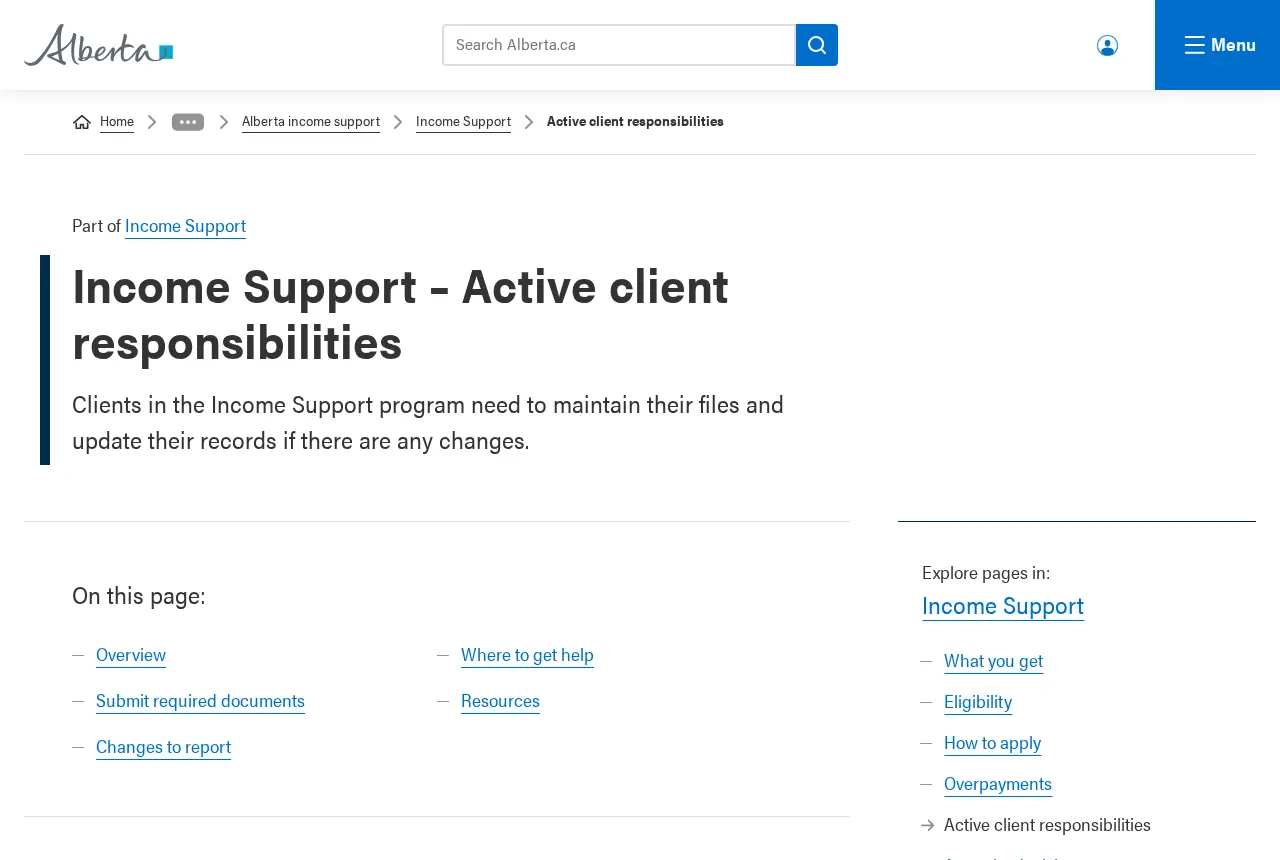
Active clients are responsible for reporting changes in their circumstances and keeping their file current. Alberta.ca lists changes to:
- employment and income
- assets
- the people in your household
- your address
- being away from Alberta for more than 30 days
Supporting documents can be sent online through income-support.alberta.ca/submit-documents.
Reporting earnings does not cancel your benefits
Alberta.ca says Income Support recipients are encouraged and supported to work: you keep all of your wages, and only a portion of your earnings is counted when your benefit is calculated. Reporting earnings accurately is how that calculation is done correctly.
Alberta Works reporting late, and what a “hold” means
Alberta.ca does not publish a fixed penalty for late reporting. What it does say is that if information is missing or outdated, payments could be delayed, and that you should act promptly.
After you report, a hold may be placed on your file. The reporting site explains that in that case you may receive an automated call, voicemail or email within 1 to 3 business days telling you which area to contact to resolve it. Do not ignore that message, because the payment waits on it.
Why late or missed reports can cost money later
If a change is not reported and you are paid more than you were eligible for, that is an overpayment. Alberta.ca explains that you are sent a Notice of Overpayment and have 30 days to file an appeal. Once an overpayment becomes a debt it has to be repaid to the Government of Alberta. Reporting changes right away is the listed way to prevent this.
Alberta Works contact numbers
| Service | Phone |
|---|---|
| Report changes | 1-866-232-0214 |
| Alberta Supports Contact Centre | 1-877-644-9992 |
| Emergency Income Support (24/7) | 1-866-644-5135 |
| North Zone office line | 1-844-415-4900 |
| South Zone office line | 1-855-297-4833 |
The Alberta Supports Contact Centre is open 7:30 am to 8 pm, Monday to Friday, closed on statutory holidays; in Edmonton you can also dial 780-644-9992. Its email is [email protected]. The North Zone covers Edmonton, Grande Prairie and Fort McMurray. The South Zone covers Calgary, Red Deer, Lethbridge and Medicine Hat. The emergency line is for urgent help with basic needs such as shelter, food, clothing and transportation, not for routine reporting.
Not on Income Support yet?
Reporting only applies once you are a client. To apply, alberta.ca sets out three steps: create an Alberta.ca Account, gather your documents (identification for you and your family, 60 days of bank statements for every account, and a medical letter if you cannot work for medical reasons), then apply online at applyincomesupport.alberta.ca. Alberta.ca says the process typically takes 2 weeks.
FAQ: Alberta Works reporting
What is the Alberta Works reporting login website?
Automated Reporting for Clients at arcclient.ivrnet.com. You log in with your File# and PIN. It is the site alberta.ca links to for Income Support clients.
Can I do Alberta Works reporting by phone?
Yes. Alberta.ca lists 1-866-232-0214 for reporting changes by phone.
When does Alberta Income Support get paid?
Four business days before the first of the month, or the previous business day if that date lands on a weekend or holiday. Alberta.ca publishes the payment dates for the year.
How do I contact Income Support in Alberta?
Your caseworker is the first contact. If you do not know how to reach them, call the Alberta Supports Contact Centre on 1-877-644-9992, Monday to Friday, 7:30 am to 8 pm.
How long does Income Support take to process in Alberta?
Alberta.ca says the application process typically takes 2 weeks. For an emergency, the 24-hour line is 1-866-644-5135.
Bottom line
Report every month, as early as your situation allows, online with your File# and PIN or by phone on 1-866-232-0214, and answer any message about a hold quickly. We explain other government online services the same way, for example paying the UK Dartford Crossing charge, in our guides section.